
Recorded sends
See how many notification sends Laritor recorded in the selected period. Compare activity around releases, recurring tasks, or batch jobs.
Laravel notification monitoring
Laritor is a performance monitoring and issue tracking tool for Laravel. Monitor notification sends, find the users or models they were sent to, and open the requests or jobs behind them. Investigate missing notifications, repeated sends, and problems in your sending workflow.
Free trial: 300K events · Unlimited apps and users
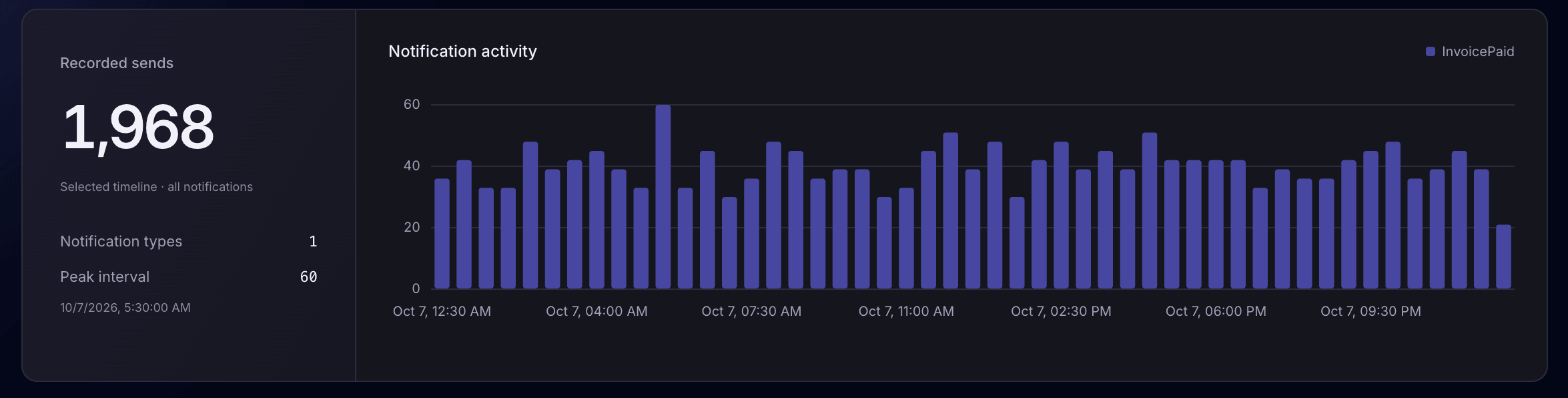
Monitor notification activityRecorded sends and trends by type.
Find the intended recipientSearch by notification class or notifiable.
Follow the sending workflowOpen the request, job, command, or task.
See how many notification sends Laritor recorded in the selected period. Compare activity around releases, recurring tasks, or batch jobs.
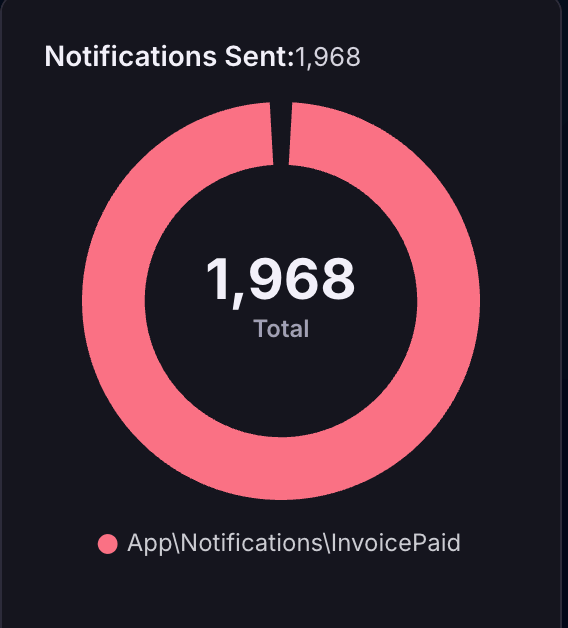
See which notification classes contributed to the total, such as InvoicePaid or OrderShipped.
Find the time bucket with the most recorded sends. Check whether the burst came from expected work or repeated executions.
Search Laravel notification history
Search by notification class or notifiable, then choose the period you want to investigate. Each recorded entry shows the notification type, intended recipient, send time, and originating execution.
Use the history to check an invoice update, account message, or reminder. Compare timestamps and origins when a user reports receiving the same notification more than once.
Explore notification filters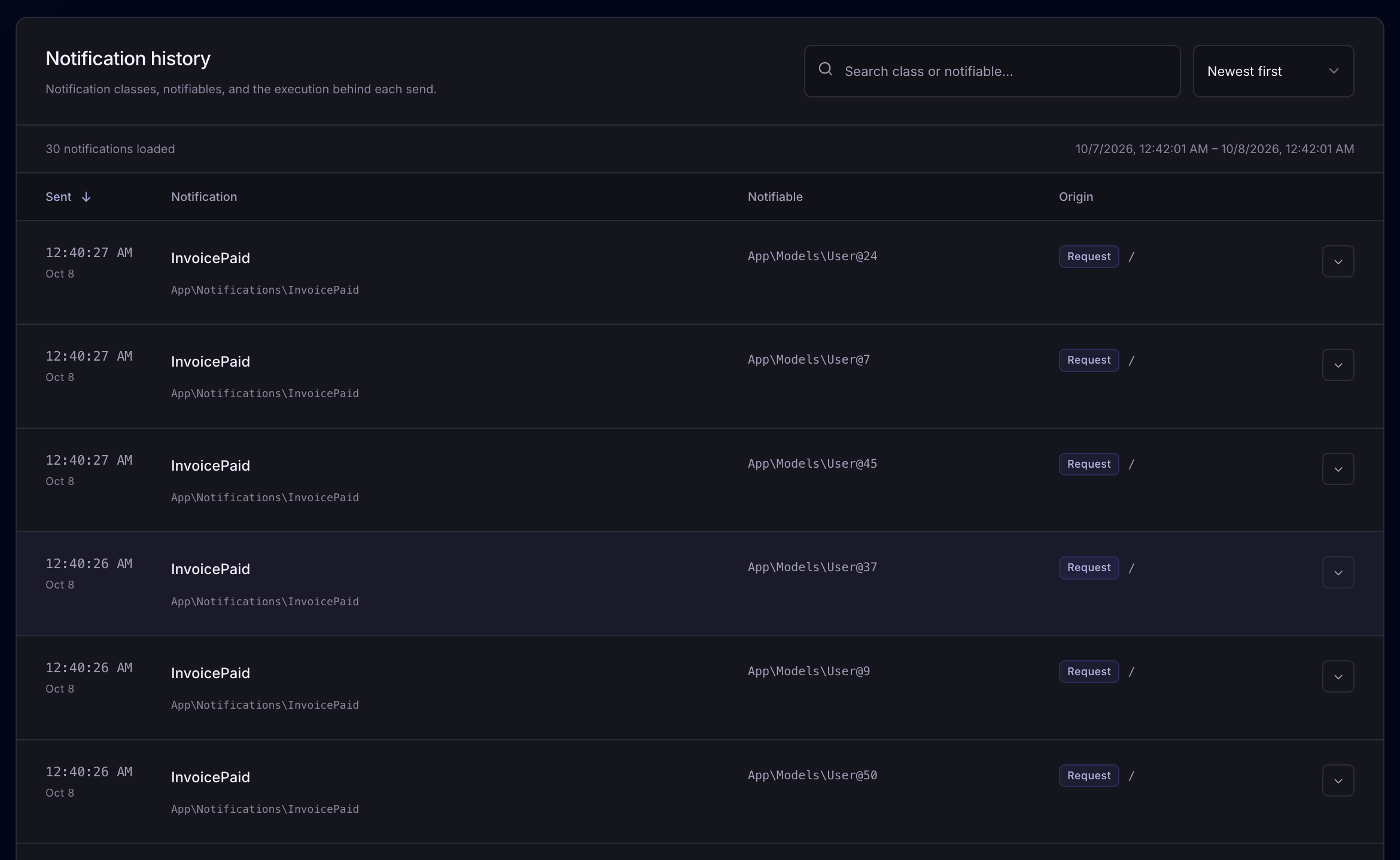
Understand the recipient behind a send
Laravel calls the recipient of a notification a notifiable. In Laritor, this can appear as a model class and identifier, such as a User model with ID 24.
Check the recorded recipient to see whether your code selected the intended entity, then open the origin to understand what triggered the send.
Reading a notification record · example fields
The notification class tells you which kind of message your code sent.
The user or model your application sent the notification to.
Use the timestamp to compare the send with the reported problem.
Open the recorded execution to investigate what triggered the send.
Notification volume and types
Compare notification types to understand the work your app is sending. Use the activity chart to spot a change in volume, then inspect the history for the affected class.
A burst of sends might come from a scheduled task, a batch job, or repeated executions. Check the origins before deciding whether the pattern needs attention.
Counts describe recorded sends in the selected period. Recording modes and filters affect the history and trends you see.
The execution behind each notification
Open an entry’s origin to inspect its recorded request, job, command, or scheduled task. Review related logs, queries, exceptions, and other events to understand the sending workflow.
For queued notifications, inspect the job that performs the send. Check whether it completed as intended and what your code did around the notification event.
Example: sending an invoice notification through a queue
Investigate missing or repeated notifications
Start with the expected notification class and recipient. Compare recorded activity with the workflow that should have sent the message.
Inspect failed jobs, log entries, and exceptions to find where a send was interrupted or repeated. For application emails, you can also inspect mail history.
Search by notification class or notifiable and choose the relevant time window. Compare recorded send times and the intended recipient.
Open the origin and review related activity. For a missing record, inspect the expected request, job, or task for failures and check your recording settings.
Fix the code, queue setup, or configuration and test the workflow again. Use the relevant provider or channel records to investigate delivery beyond the application send.
Use Laritor how you want
Keep notification context around exceptions, keep activity with detected issues, or record successful executions too.
A missing record in a filtered mode does not by itself prove a notification was not sent. Full observability gives you a broader picture of routine notification activity.
Keep notification events and related activity when a request, job, command, or task contains an exception. Inspect the sends recorded during that execution.
Useful for notification context around exceptions.
Record occurrences with detected issues, such as a failed job or slow request. Inspect their notification events alongside logs and other activity.
Focus on sending workflows with application problems.
Record successful activity too. Follow routine notification sends and compare volume and notification types across recorded executions.
Use this for a broader notification history.
Paid plans start at $20/month with 20M events included. Usage includes recorded notifications and the other events you send. Filter unnecessary activity to reduce event usage. Estimate your usage
Recording and privacy controls
Notifiable identifiers and other recorded fields can contain private information. Laritor applies redaction before data leaves your app, and you can customize the rules for your application.
Review the data your app sends. Keep the context needed to investigate problems while removing private details your team does not need.
Explore privacy controlsUse recordNotification($notifiable, $notification) to filter notification events you do not want to send.
Use string, email-address, and array-value redactors to customize the handling of sensitive information in recorded fields.
Review outgoing recipient identifiers and related event data after configuring filters and redaction. Confirm that useful debugging context is retained.
Laravel notification monitoring questions
Answers about notification history, notifiables, queued work, recording modes, and delivery.
Laravel notification monitoring helps you understand the notifications your application sends and the work that triggers them. Laritor shows recorded send counts, activity over time, notification classes, notifiables, timestamps, and links to the requests, queued jobs, commands, or scheduled tasks behind a send.
A notifiable is the user or model your application sends a notification to. Laritor’s notification history displays the recorded notifiable alongside the notification class, send time, and origin. Use it to check which entity your code selected for a notification.
Yes. Search the notification history by notification class or notifiable and narrow the date range to the period you want to inspect. The searchable recipient information depends on what was recorded and how your redaction settings handle it.
Yes. When a notification event belongs to a recorded execution, its origin links to the request, queued job, Artisan command, or scheduled task that sent it. Open the execution to inspect related logs, queries, exceptions, and other events. For queued notifications, inspect the job that performs the send.
Search by notification class or notifiable and inspect the relevant period. For repeated sends, compare timestamps and originating executions. For a missing record, check the expected request, job, or task for failures and review recording settings. A missing record in a filtered mode does not by itself prove the notification was not sent.
No. A recorded send shows notification activity in your Laravel application. It does not confirm delivery to an external destination or that a user read the notification. Use the relevant provider or channel records to investigate the delivery outcome.
No. Exceptions-only and issue tracker modes retain related notification events from occurrences that are kept. Full observability also records successful activity for a broader history. Counts and trends reflect the events you send, so recording modes and filters affect the results.
Yes. Use recordNotification to choose which notification events are recorded. Laritor applies redaction before recorded data leaves your app, and you can customize string, email-address, and array-value redactors for private information. Review outgoing recipient identifiers and other fields to check the result.
Through Laritor MCP, a connected coding agent can retrieve an exception and its recorded execution timeline, including related notification events when available. It can use that context with your repository to investigate the failure and work on a fix.
No. This page describes notifications sent by your Laravel application, such as invoice updates or account reminders. Laritor’s own problem alerts are configured separately through its alert settings and integrations.
Looking for Laritor’s own problem alerts? Explore alert settings
Install in under 1 minute
Add Laritor’s Laravel client, choose a recording mode, and inspect the notifications and related events your app sends.
Free trial: 300K events · Unlimited apps and users