
Optimize the slow operation
Find the query, cache miss, or external API call behind a delay. Inspect its details to decide where to add an index, improve caching, or reduce work.
Laravel request monitoring
Laritor is a performance monitoring and issue tracking tool for Laravel. It shows how long your requests take, which ones fail, and the queries, logs, and API calls behind them, so you can find the cause and improve performance.
Free trial: 300K events · Unlimited apps and users
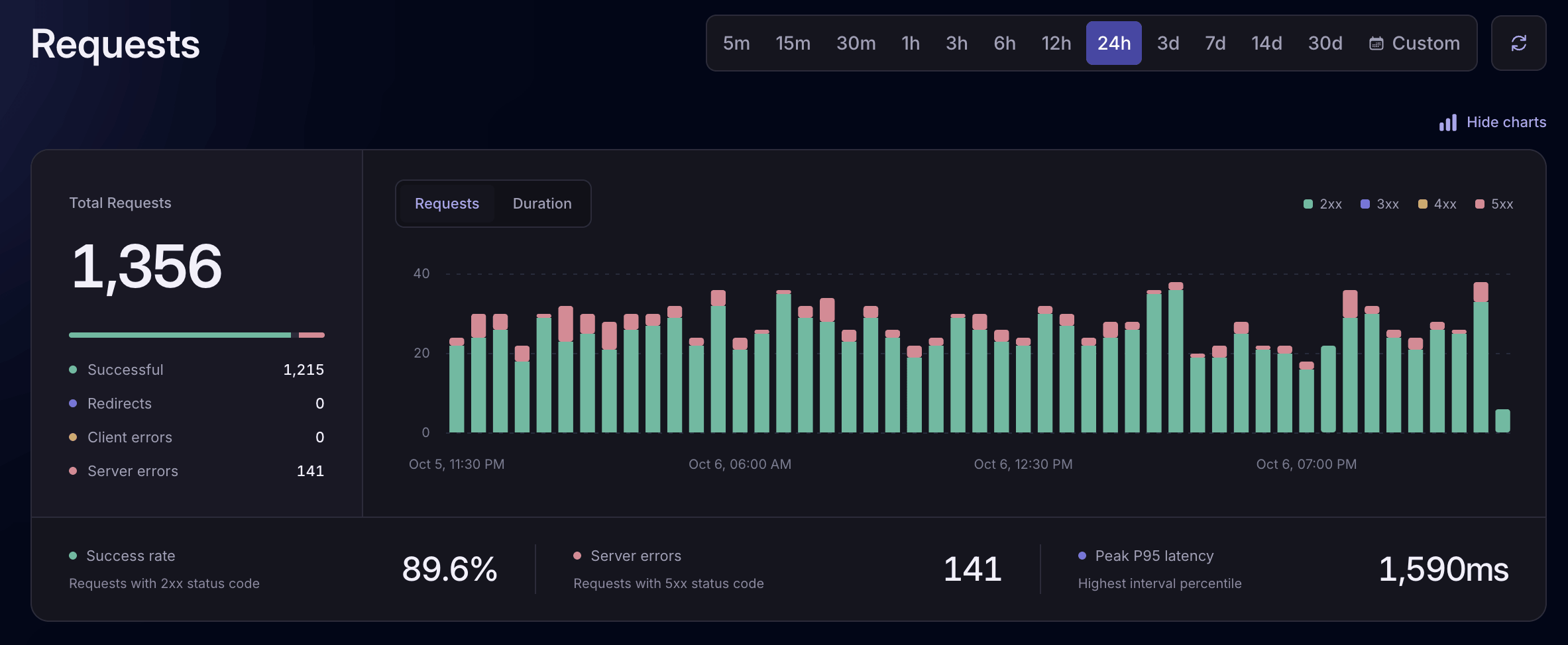
Monitor performanceSee traffic, response times, and failures.
Understand the causeInspect the events behind each request.
Improve your appOptimize slow operations and fix errors.
Find request problems
Laritor organizes slow, failed, and bot requests into views you can investigate. See which URLs are affected, when the problem happened, and how long each request took.
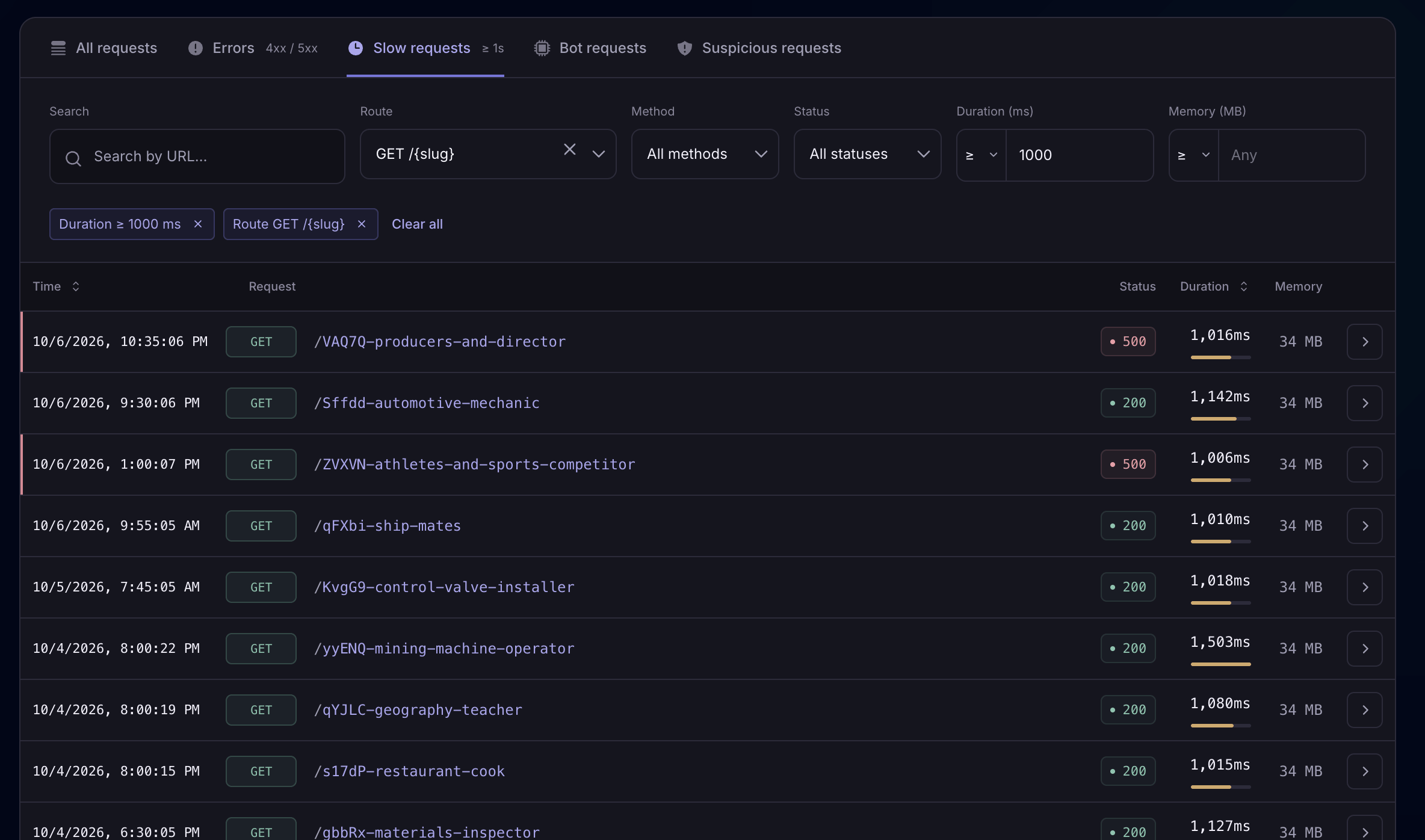
Laritor lists your slowest requests with their response times. Open a request’s timeline to find slow queries, repeated work, or API calls you can optimize to make it faster.
View screenshot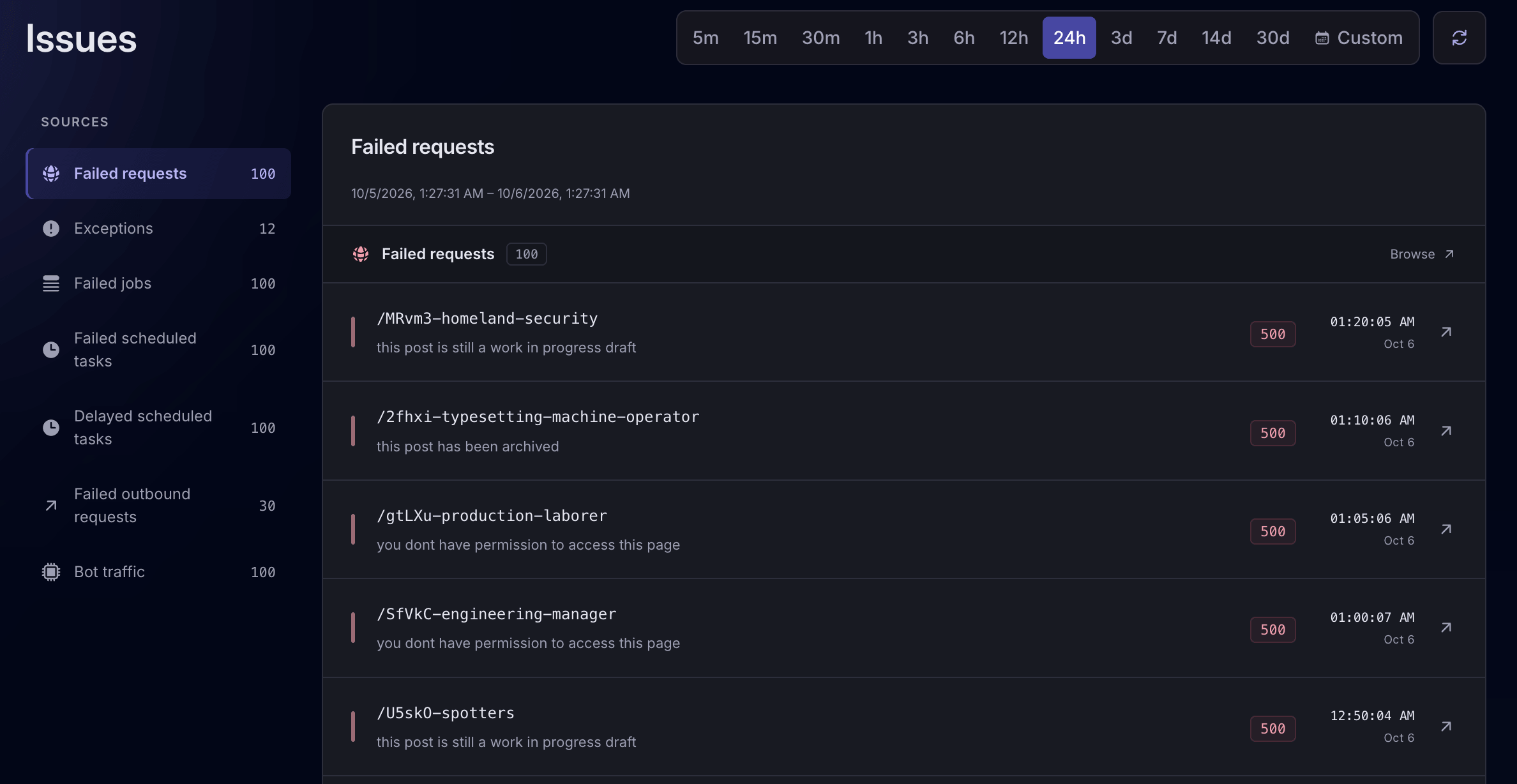
See failed requests with their status codes and error messages. Open an affected request to inspect its exceptions, logs, and API calls, find the cause, and work on a fix. Set up alerts to hear when failures occur.
View screenshot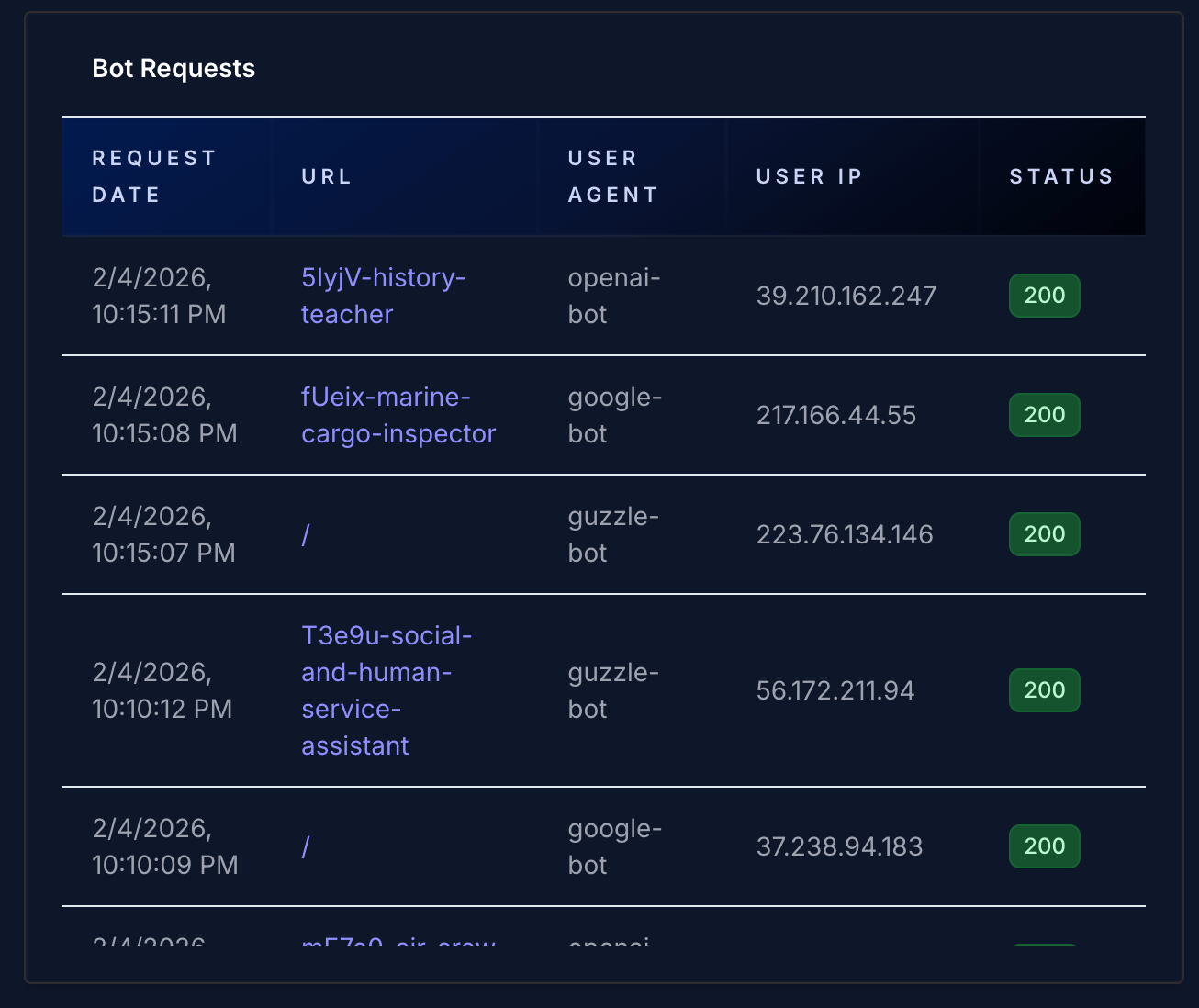
See the URLs bots are probing, their IP addresses, and their user agents. Use these details to improve blocking and rate-limiting rules in your Laravel app or firewall and reduce unwanted traffic.
View screenshotCombine filters to find a slow route, an error in a specific time window, or requests from a particular user. Group by route, URL, or user to spot patterns.
See how request filters workUnderstand request performance
For each recorded request, Laritor puts its queries, logs, API calls, and other events in a timeline. See which operations ran, how long they took, and the time spent in Laravel startup, middleware, controllers, and rendering.
Explore request details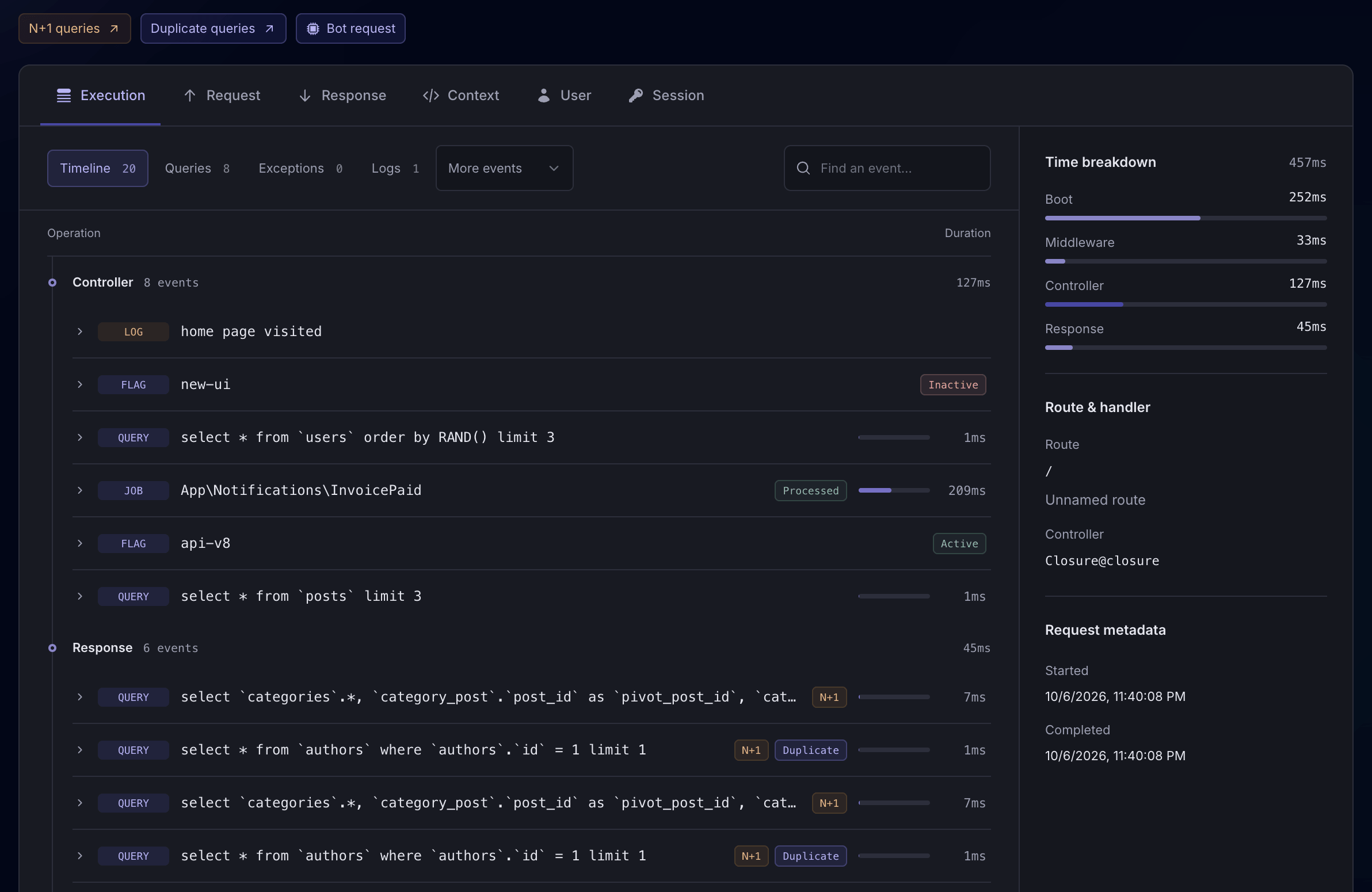
Find the query, cache miss, or external API call behind a delay. Inspect its details to decide where to add an index, improve caching, or reduce work.
Laritor highlights duplicate and N+1 queries, where related records are loaded one at a time. Find where they happen and update your code to avoid repeated database calls.
Choose which request and response data to record. Mask passwords, tokens, and personal details before they leave your servers, while keeping the context you need to debug.
See privacy controlsUsers and sessions
Laritor connects the recorded requests made during a user’s session. See their entry and exit pages, follow the requests in between, and open any slow or failed request to understand what they experienced.
Add custom events for actions such as checkout steps, signups, or payment retries. See them alongside request events to understand what led to a delay or failure.
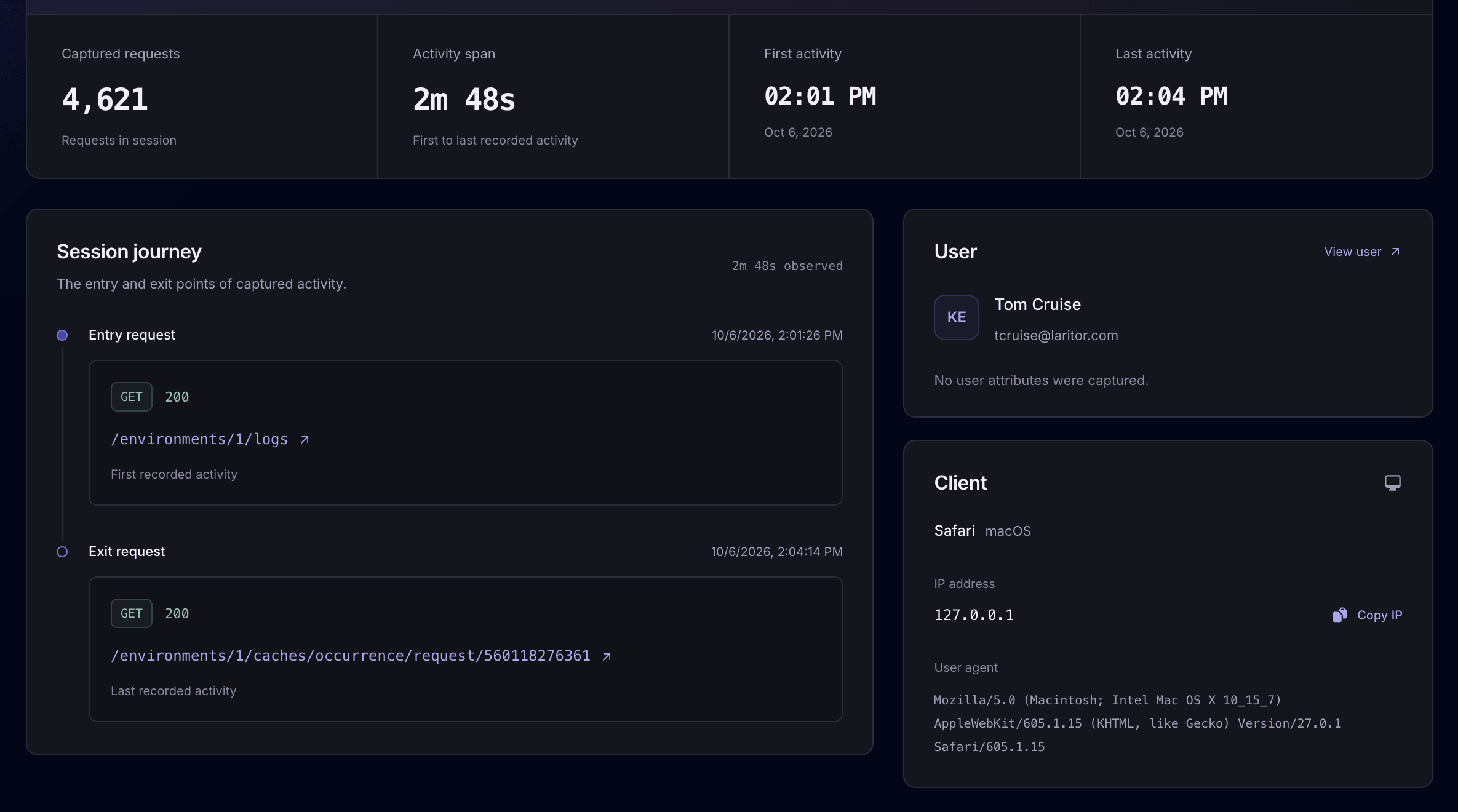
A user’s session, with its recorded requests and client details.
↗Get help investigating and fixing problems
Laritor gives AI the details behind a problem, including recorded events, queries, and exception information. Get help understanding the cause and deciding what to change.
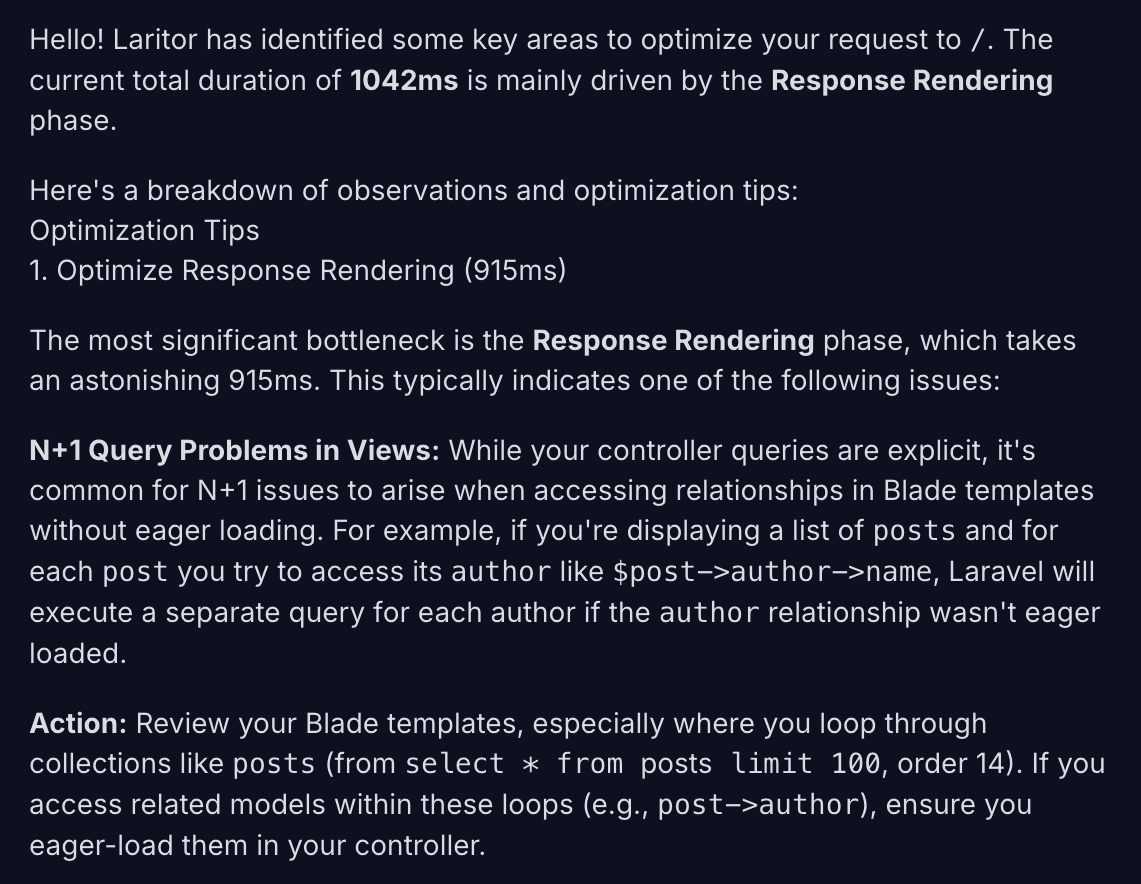
Laritor identifies the slow operation and suggests changes to improve request performance.
Set up in-app AI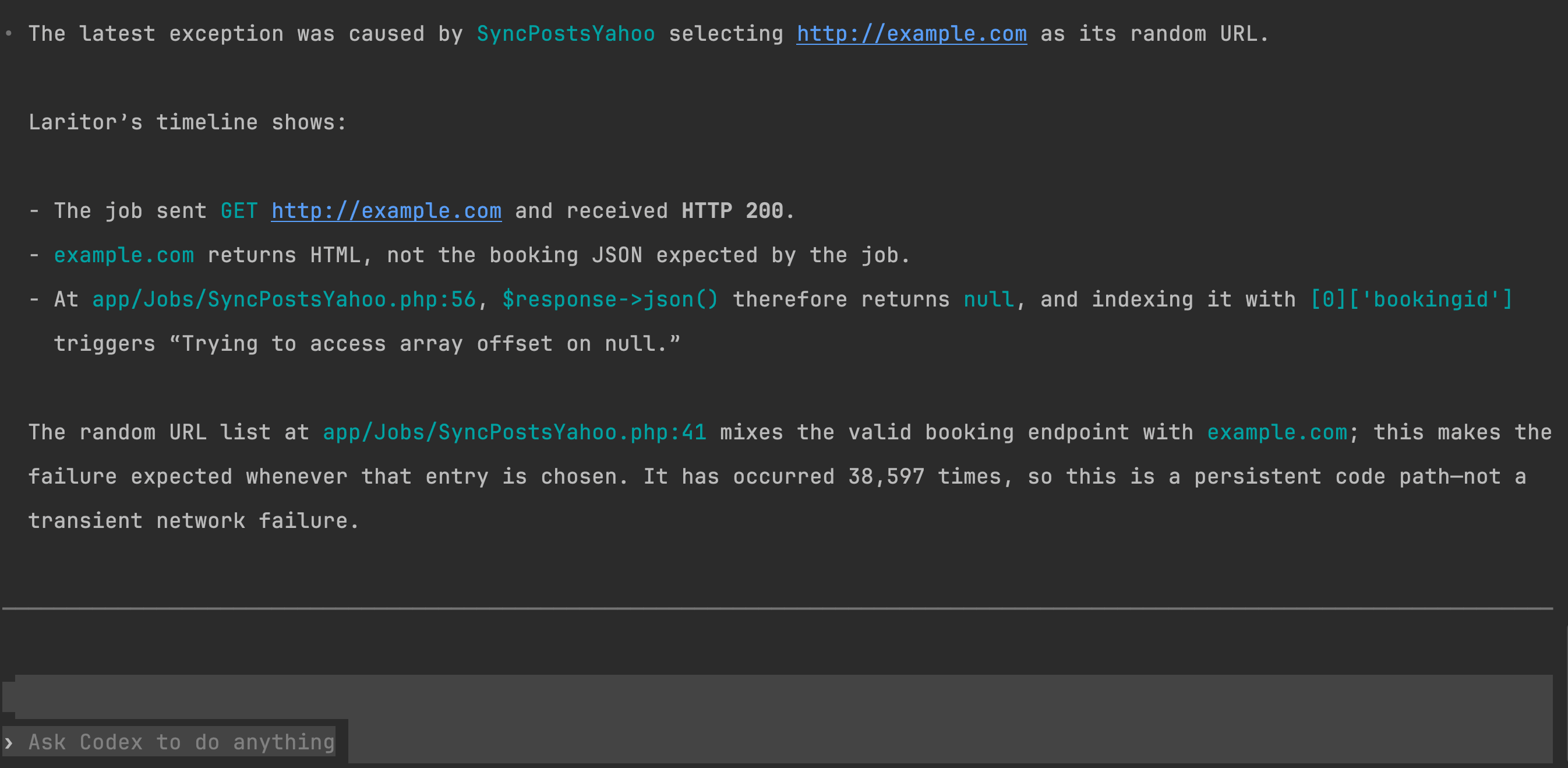
The agent uses recorded events and your code to explain what caused an exception.
Connect your agentChoose what to record
Choose to record requests with exceptions, include other problems such as failures and slow responses, or record all activity. Each recorded request includes its related events.
Record a request and its related events when an exception occurs.
Also record other problems, such as failed or slow requests, with their related events.
Record successful requests too, so you can track response times and traffic across your app.
Install in under 1 minute
Install Laritor’s Laravel package, connect your app, and choose what to record. Start with exception tracking or monitor your request performance over time.
Free trial: 300K events · Unlimited apps and users