
Spot a growing backlog
Look for waiting jobs and rising wait times. Use the queue details to check worker availability, workload, and which job types need attention.
Laravel queue and job monitoring
Laritor is a performance monitoring and issue tracking tool for Laravel. Monitor background work such as sending emails, importing data, and generating reports. See which jobs failed, which are waiting, and how long they take, then inspect their recorded events to find the cause.
Free trial: 300K events · Unlimited apps and users
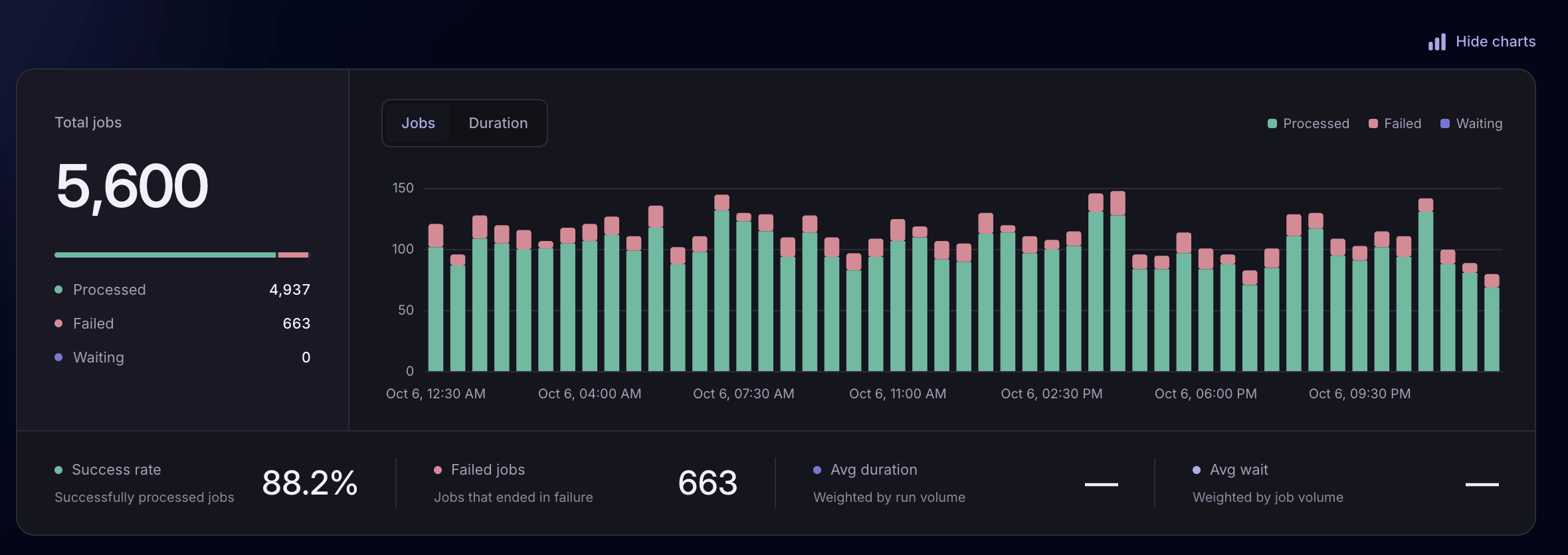
Monitor queue healthSee processed, failed, and waiting jobs.
Understand job timingSeparate time waiting from time running.
Investigate failuresInspect exceptions and related events.
Queue insights
Compare your queues by processed, failed, and waiting jobs, average wait time, and average duration. Expand a queue to inspect its job types and find where failures or slowdowns are concentrated.
Explore queue and job monitoring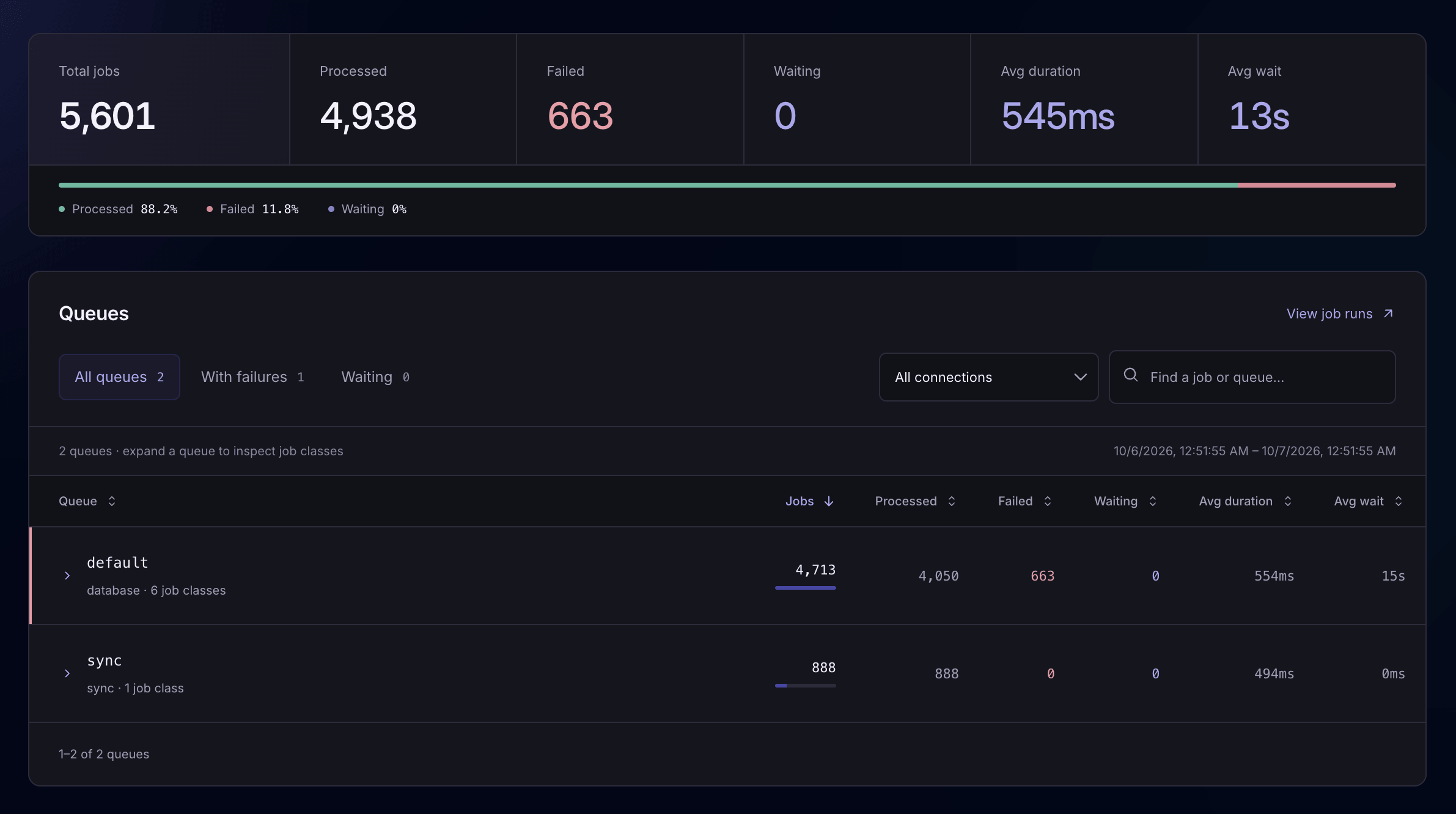
Look for waiting jobs and rising wait times. Use the queue details to check worker availability, workload, and which job types need attention.
See which queues and job types account for failures. Open affected jobs to inspect their exceptions and investigate a shared cause.
Find job types with long execution times. Inspect individual runs to decide whether to improve database queries, cache data, or reduce external calls.
Wait time and execution time
A job that waits for a worker needs a different investigation from one that takes too long to execute. Laritor breaks down its timing so you can see where the time went.
Long waits can point to worker capacity or queue load. Long execution times call for a closer look at the job’s queries, API calls, and other operations.
Explore job timing and details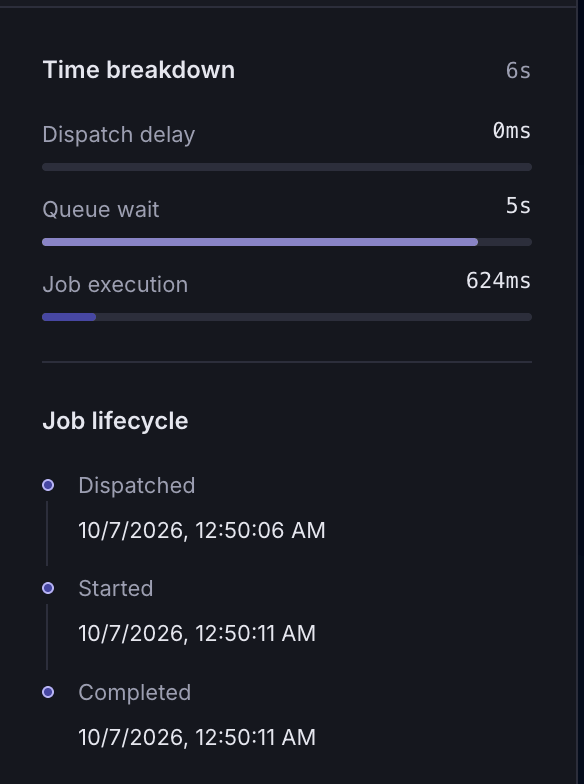
See where a job spends its time.
View screenshotFailed jobs and exceptions
A failed job can leave an email unsent, an import unfinished, or a report missing. Laritor connects the job to its exceptions and recorded events, so you can investigate what happened before retrying it in your app.
See job filtersFilter by job type, status, and date to find a failed execution. See which queue it ran on and when it was dispatched, started, and completed.
Read the exception message and full stack trace. See the file and line where it occurred, then inspect the code that failed.
Review the job’s queries, logs, and API calls in order. Find the failing operation or unexpected response before deciding what to change.
Job execution timeline
For each recorded job, Laritor puts its queries, logs, API calls, and other events in order. Inspect how long operations took, spot repeated database queries, and follow the steps that led to an exception.
Explore job execution details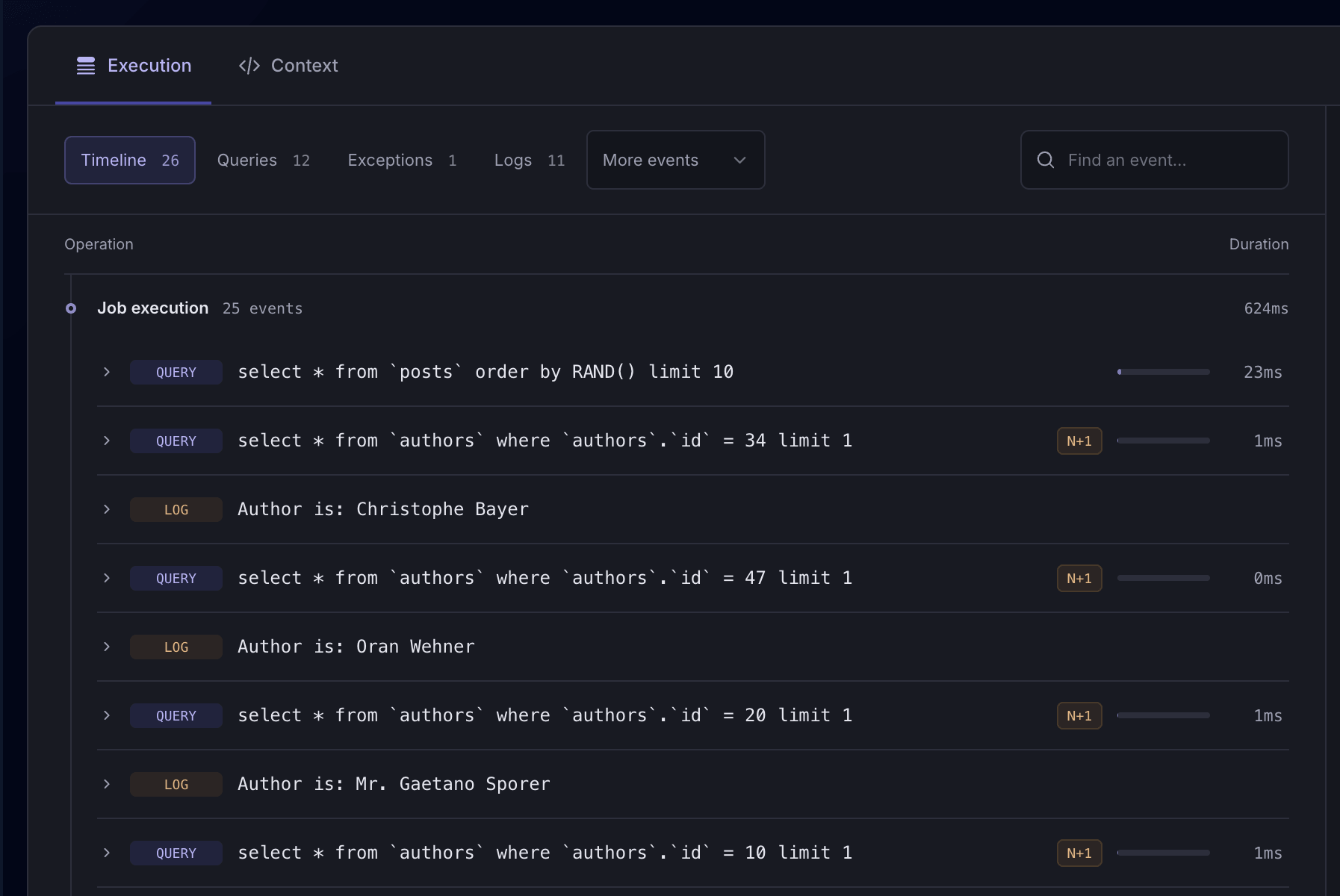
Find N+1 queries, where related records are loaded one at a time. Inspect the repeated calls and update your code to avoid unnecessary database work.
See whether a job came from a request, command, scheduled task, or another job. Use the recorded context to understand how background work fits into your app.
Attach Laravel context or record custom events for steps such as importing a batch or processing an order. See those details alongside the job’s other events.
Explore custom eventsDebug with Laritor MCP
Connect your AI coding agent to Laritor’s MCP server. It can retrieve a job exception’s stack trace and recorded execution timeline, then use the queries, logs, and other events with your code to investigate the cause and implement a fix.
Connect Laritor MCP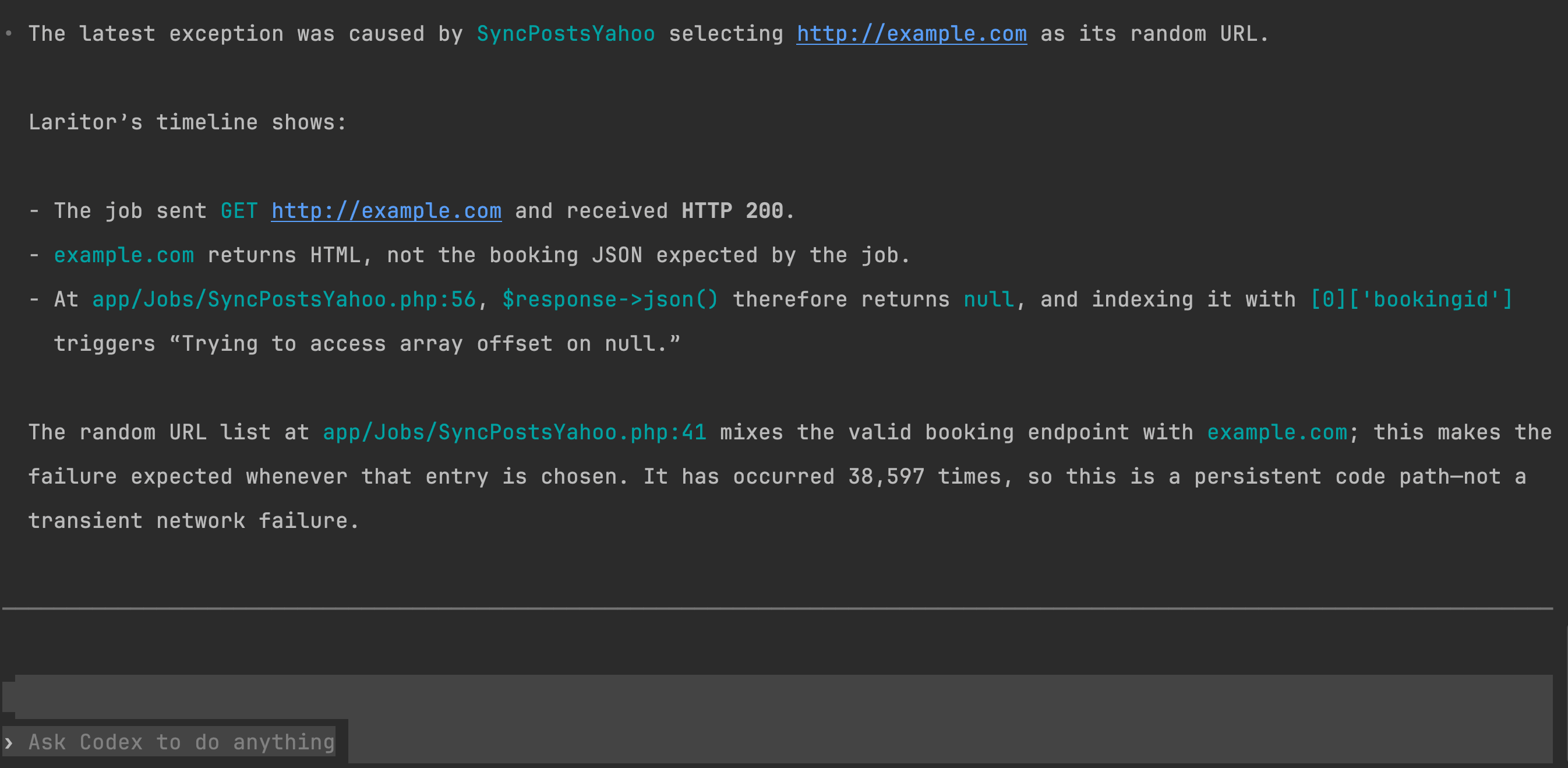
The agent follows the job’s recorded events to identify the unexpected API response behind the exception.
MCP setup guideChoose what to record
Start with exceptions, include other detected issues, or record all activity to understand queue performance over time. Each recorded job includes its related events. Use full observability when you also want to monitor successful jobs.
Record jobs that contain an exception, along with the related events that help explain it.
Also record other detected problems, such as failed jobs and slow queries, with their related events.
Record successful activity too, to monitor job volume, queue wait times, and performance across your app.
Control which events and context you send to Laritor. Redact passwords, tokens, and personal information before the recorded data leaves your servers.
Install in under 1 minute
Install Laritor’s Laravel package, connect your app, and choose what to record. Find job failures, investigate long waits, and understand what makes background work slow.
Free trial: 300K events · Unlimited apps and users